Insights
Who watched, how far they got, and where the comments land.
Insights (top bar of a video page) shows how a video is doing. Only the person who recorded it and team admins can open it.
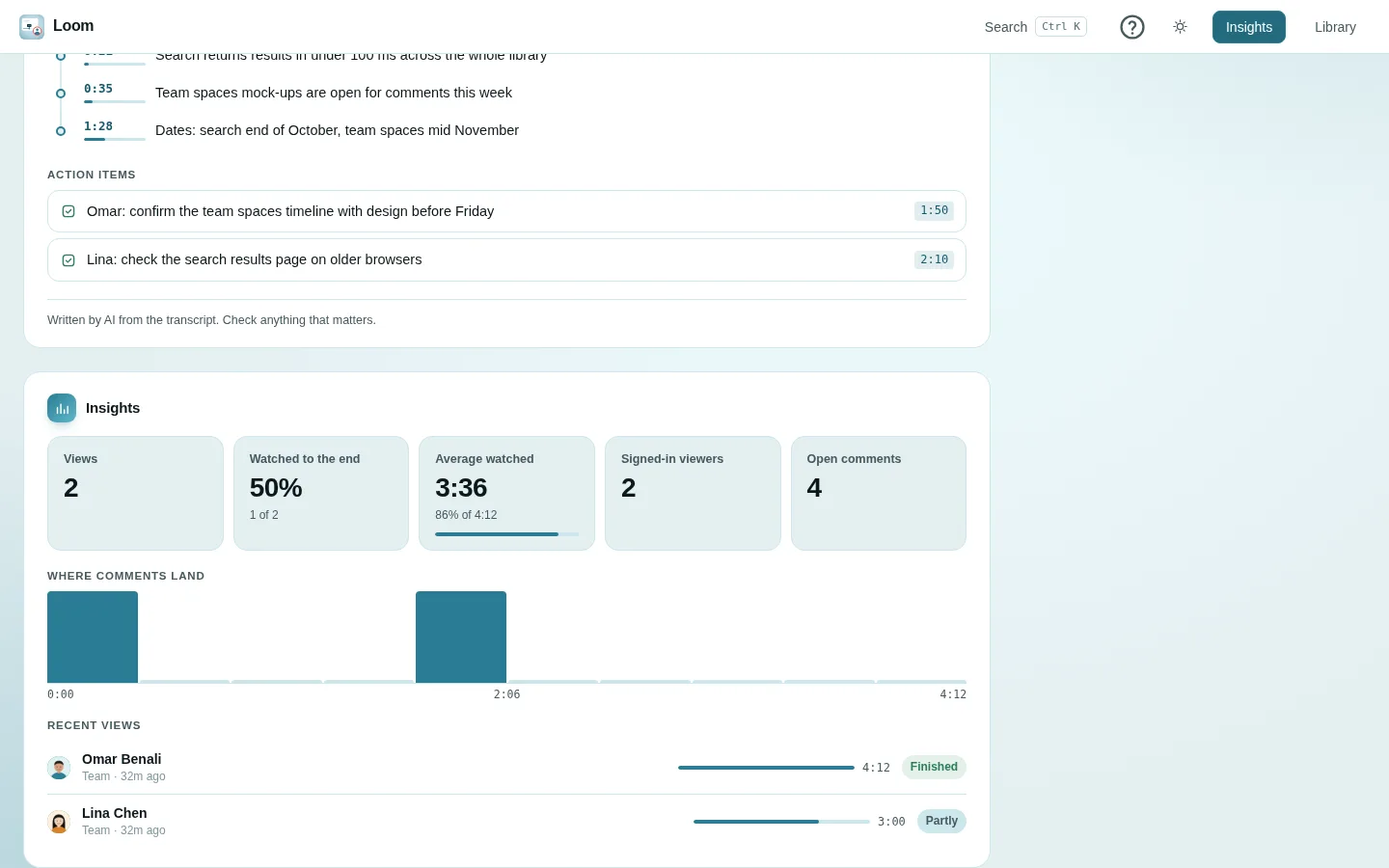
The numbers
| Tile | Meaning |
|---|---|
| Views | How many viewing sessions. One browser watching one video counts once, however often it reloads. |
| Watched to the end | The share of views that reached the end. |
| Average watched | The average furthest point viewers reached, also as a share of the length. |
| Signed-in viewers | How many different signed-in people watched. |
| Open comments | Comments not yet resolved. |
Your own plays of your own video are not counted.
Where comments land
A bar chart of the video in ten equal slices, showing how many pinned comments fall in each. Click a bar to jump there. Comments not pinned to a moment are not part of the chart; replies count at their parent's moment. If there are none, it says so.
Recent views
The latest 25 viewing sessions (the same person can appear more than once), each with:
- who it was: a signed-in viewer's name, the email a personal link was sent to, or Someone with the link. A guest's typed name shows in the activity bell, not here;
- how they came: Team, Invited or Public link;
- how far they watched, and whether they Finished or watched Partly.
How a view is counted
The player reports progress about every 10 seconds, and when the page is closed. A view only ever grows: scrubbing backwards never reduces how far someone watched.