Record your first video
⏱ 5 minutesWeb appBeginner
By the end your first recording is published in your team's library, ready to share.
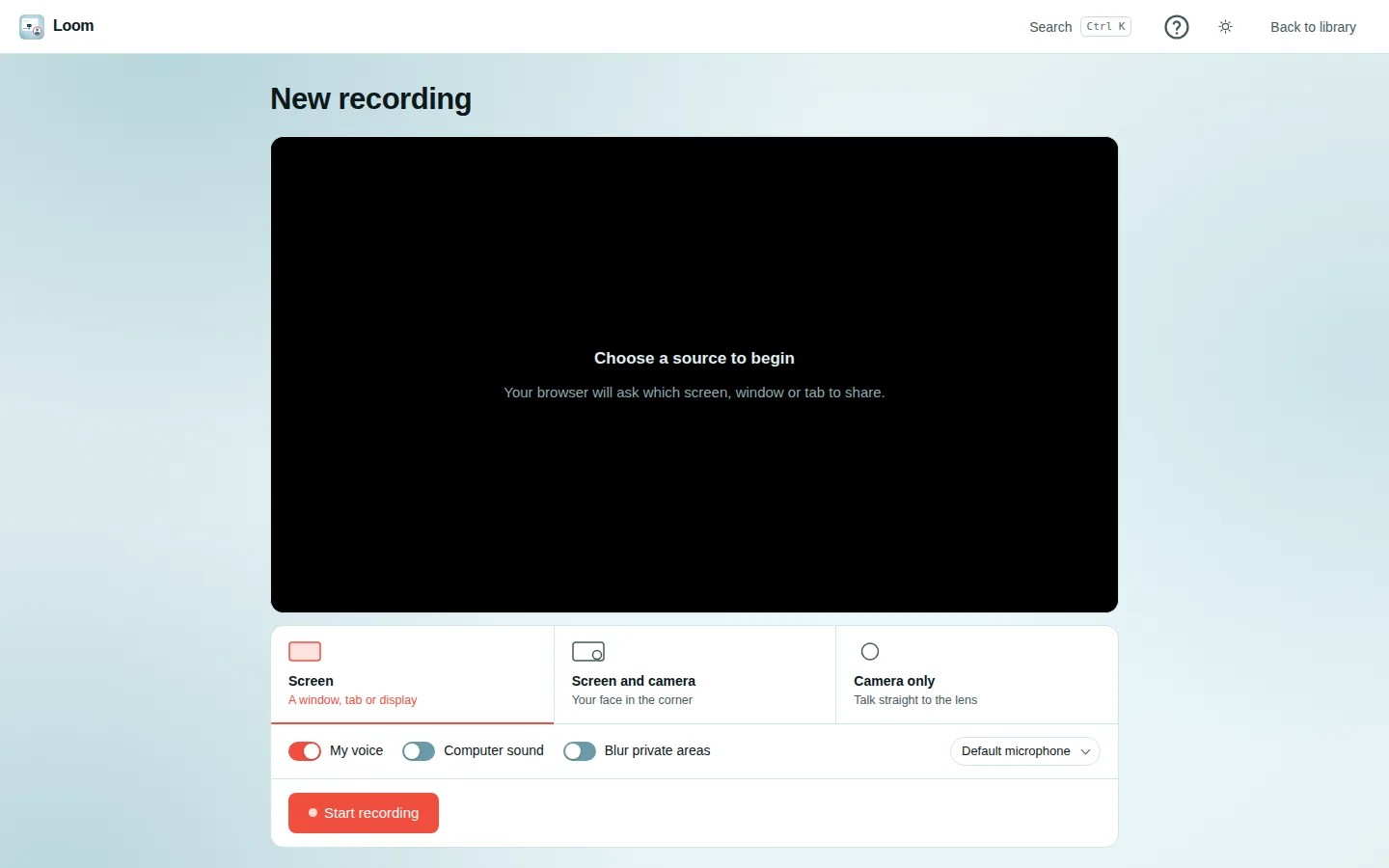
Record
- In the library, press Record.
- Choose what to record:
- Screen: a window, a browser tab or your whole screen;
- Screen and camera: your screen with your face in a round bubble;
- Camera only: just you.
- Choose the sound: My voice (your microphone) and, if you like, Computer sound.
- Press Start recording. Your browser asks what to share: pick it and allow it. A 3-2-1 countdown runs.
- Talk and show. Pause and Resume whenever you need.
- Press Stop.
Publish
- Trim: drag either end of the bar to cut a slow start or end.
- Give it a title.
- Press Publish. It finishes uploading and opens in your library.
Already have a video file?
Use the upload button next to Record instead, and pick the file.
Private things on screen?
Before you start, tick Blur private areas to draw boxes over areas that must not be seen; they stay blurred in the video.