Share and get feedback
⏱ 4 minutesWeb appBeginner
By the end people are watching your video and answering at the exact second they mean.
Send the video
- Open the video and press Share (the arrow icon under the player).
- Either invite by email: type their addresses and press Send invite. Each person gets their own link, so Insights shows who watched.
- Or turn on Public link and press Copy link, or send it straight to WhatsApp, Telegram, Messenger or X. Anyone with the link can watch, and comment as a guest.
Read and answer
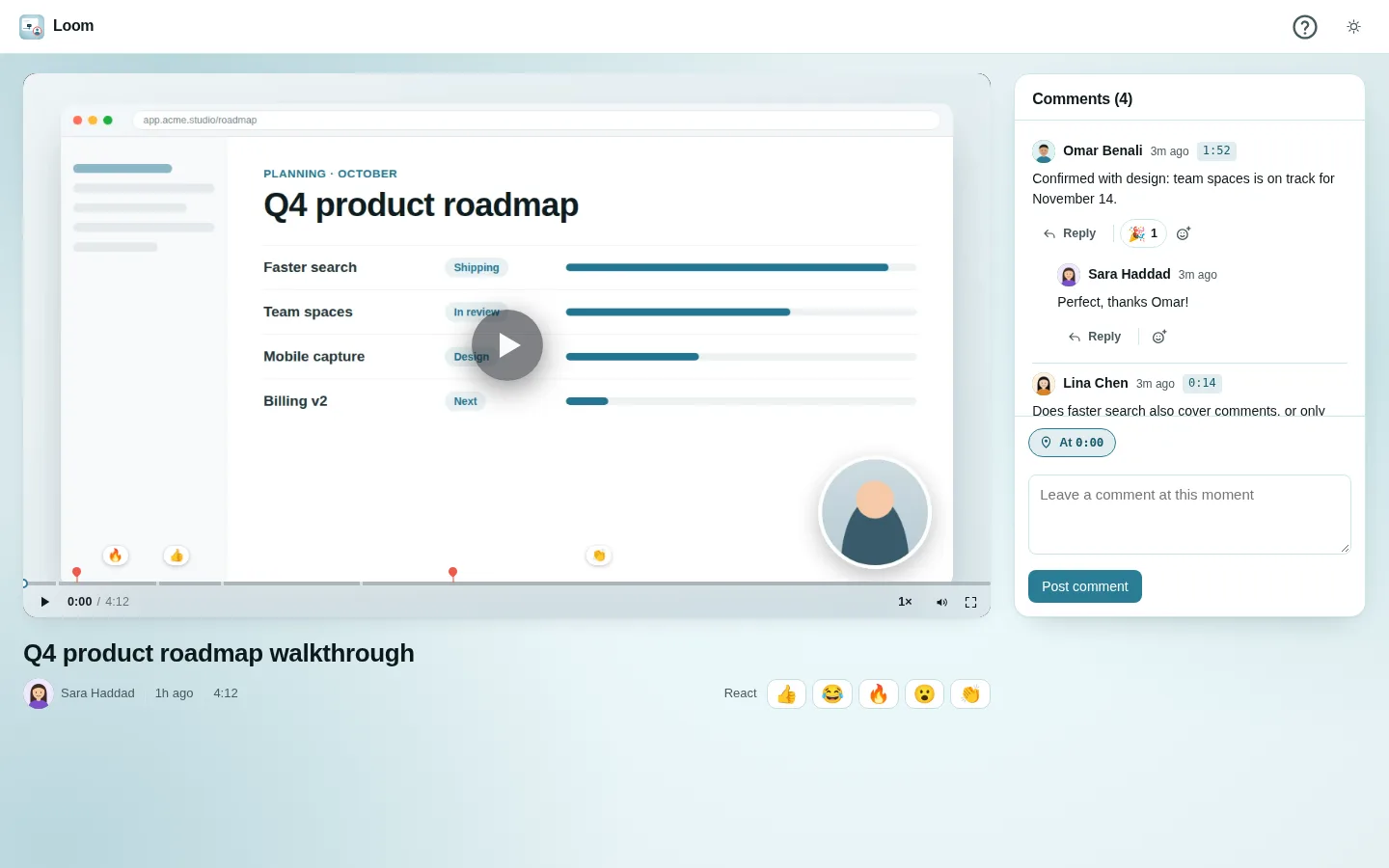
- When someone comments or reacts, the 🔔 Activity bell counts it. Click a notice to open the video on that comment.
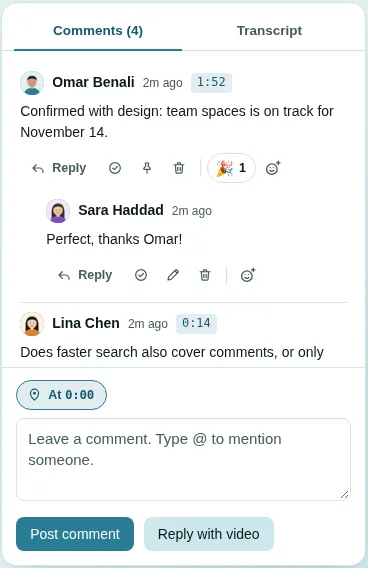
- Comment at a moment: pause where you mean, type in the box on the right and press Post comment. It is pinned to that second, and a red pin appears on the timeline.
- Type @ and a name to mention a teammate; they are told.
- React with an emoji under the player, one per person.
- Picture adds screenshots or photos to a comment or a reply (up to four).
- Reply with video: record a short answer with your camera instead of typing.