Turn on AI
⏱ 4 minutesWeb appTeam owners and admins
By the end every video gets a transcript, captions and a summary with key moments, written by AI.
Add your AI key
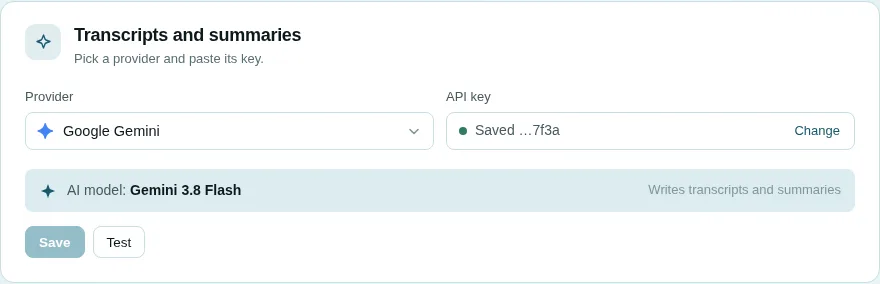
- Open Settings and go to Transcripts and summaries.
- Pick a provider, for example Google Gemini.
- Press Get a key ↗, create a key on the provider's site, copy it.
- Paste it into API key and press Save.
- Press Test. ✓ Connected. It works. means you are done.
See it work
- Open any video: the Transcripts tab fills in a minute or two.
- Click a line to jump to it; CC on the player shows captions.
- The Summary tab gives the gist, key moments, action items and a map of topics.
A name came out wrong?
Vistilla tells the AI the names of the person recording and of the channel's people. For a video transcribed before, open its Transcripts tab and press Write it again.
In English or Arabic
The transcript and summary follow the language you chose with EN | ع. A recording in the other language is translated by AI the first time.